


What’s one easy way to make your collage even more fab than it already is? Fun font tricks! With over 70 options to choose from, PicCollage has fonts that will match any style of collage, and these surprisingly simple font and text tips will make you look like a total pro. Scroll down to see our favorite ways to up your font game.
1. Pairing Fonts
Make a bold statement by pairing fonts that complement each other and give your collage a unique focal point. Pick a font that’s more traditional and pair it with a script font for contrast. Here’s a couple of pairings we’ve put together to get your creative juices flowing:


Bottom: Sacramento

Bottom: Montserrat

Bottom: Bakerville
2. Curved Text
Warning: this trick takes a little patience, but it’s actually very easy and totally worth it! Manually curve the text in your collage for a fun way to draw attention to the area you want people to focus on.
Steps:
- Start with a letter text
- Duplicate the letter
- Place the letters across the person/favorite fur baby


3. Transparent Text Effect
Add a text background, then use the color eyedropper tool to match your text to the background color of the collage for a fun transparent effect.


4. Adding Text Backgrounds
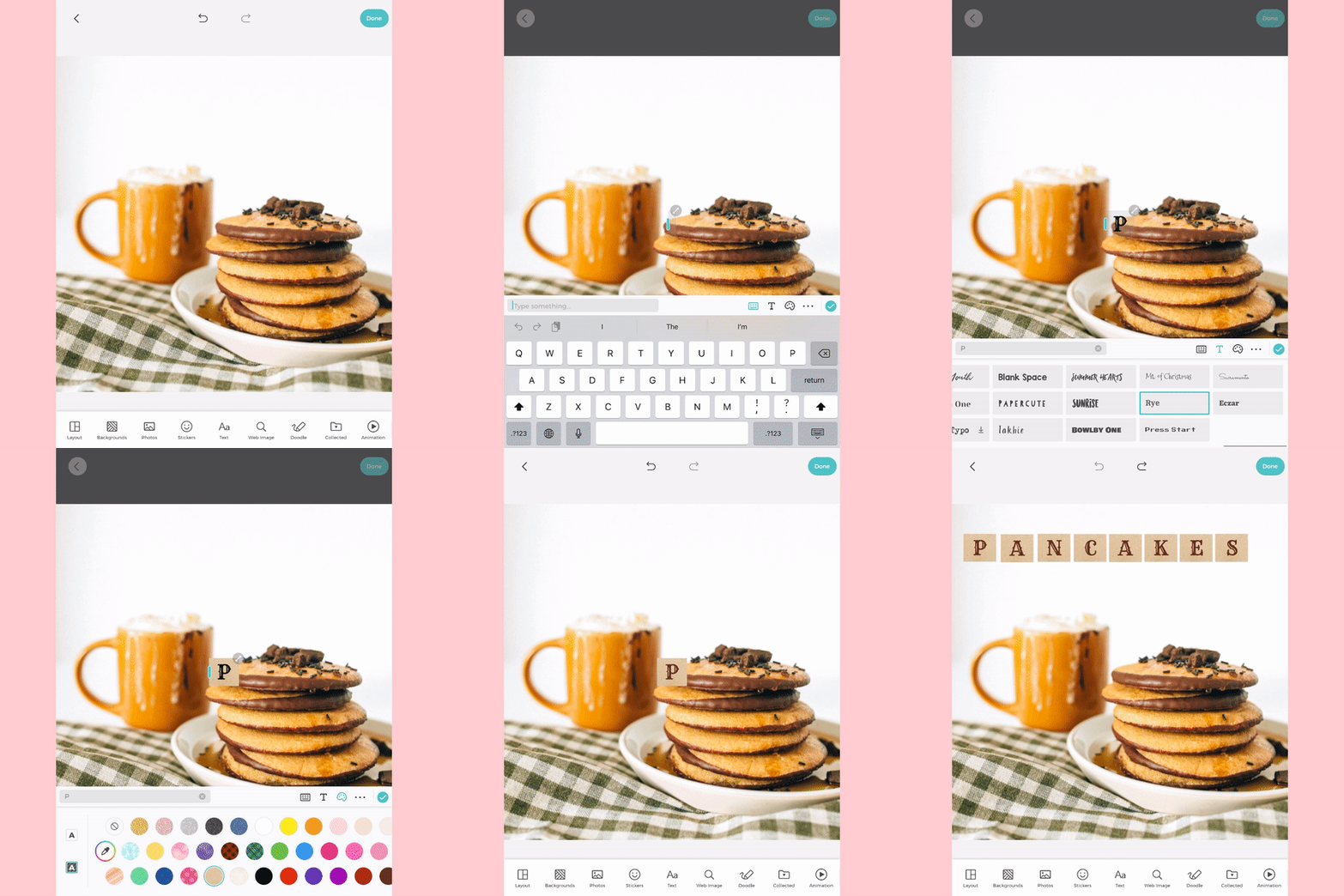
One way to make your text really pop is to add a box around each individual letter. So simple, but so impactful!
Steps:
- Add a letter of the word you want to spell out
- Select font style, text color, text background
- Duplicate text

5. Gradient Texts
Use our color saturation tool to easily create a beautiful gradient, perfect for making cards and any special occasions! We love to keep this trick in our back pocket for when we’re in need of a quick card that looks really special.
Steps:
- Add text
- Duplicate, then select text color
- Tap on the color to adjust color saturation
- Result: gradient effect!


Now that you’re equipped with these five tricks, all that’s left to do is choose your favorite fonts (it will be hard, we know) and start experimenting! Don’t forget to tag us @piccollage and use the hashtag #mypiccollage so we can see your fun creations.